

eclipse安装tomcat 一
最近想要学习一下服务器的知识,就想clipse+tomcat 入门,各种搜索再配置了漫长的时间 ,为了避免遗忘,特意记录一下
要点:目前tomcat 最新的是tomcat9,如果使用的是比较旧的eplise 比如Luna 版本,只能配置到的的tomcat8,如果同学们想要使用最新版本的tomcat,而自己的ecplipse 又是比较旧的版本,直接去ecplise 官网去 java ee 版本的eclipse 链接:https://www.eclipse.org/downloads/eclipse-packages/
步骤一 看看自己的eclipse 是否已经有插件:
eclipse 工具栏目 File->new->other-> 如果出来的内容不像下图那样搜索到web Project 的选项,那么就需要往下看步骤二 去安装插件。
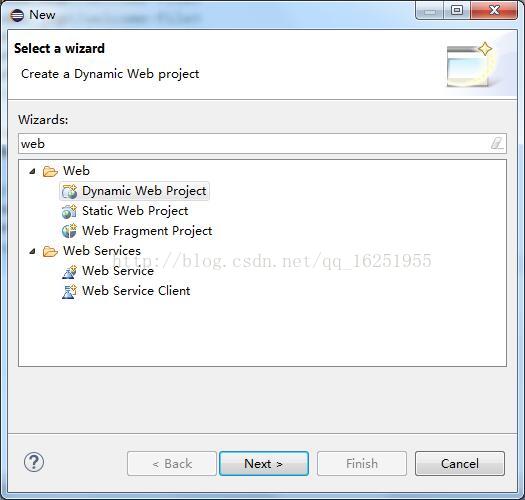
步骤二 安装j2ee 插件:
eclipse 工具栏目 helper->Install New software ,点击 Work with 的下拉栏,因为我的eclipse 是 Neon 版本,所以选择“Neon - http://download.eclipse.org/releases/neon”
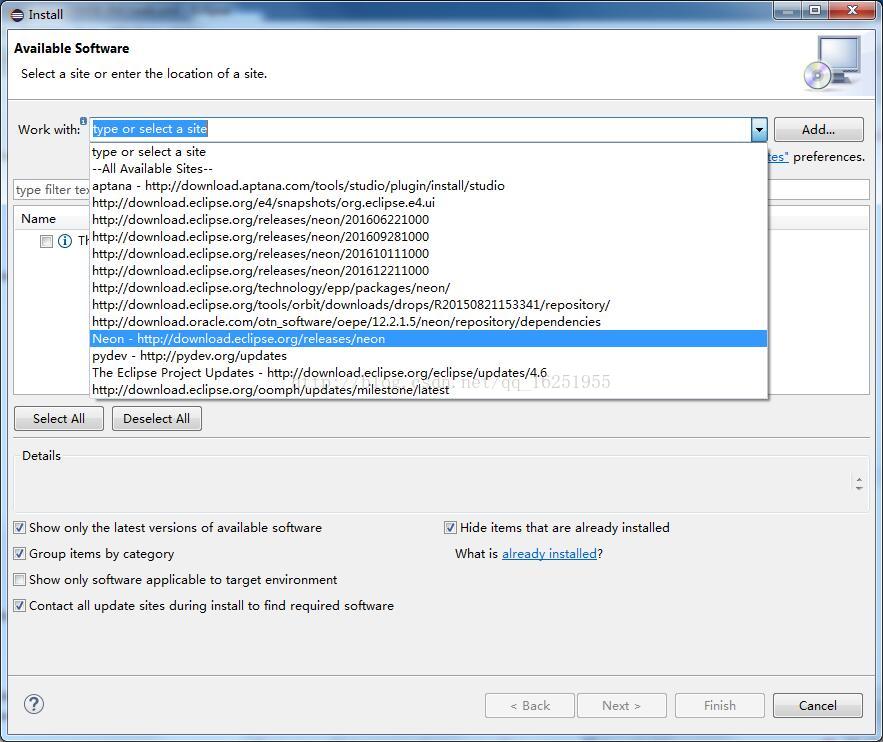
步骤三 选择插件:
漫长的等待(建议翻墙)后,在列表的 web,xml,Java ee and OSGi Enterprise Devvelopment 展开项 下 选择
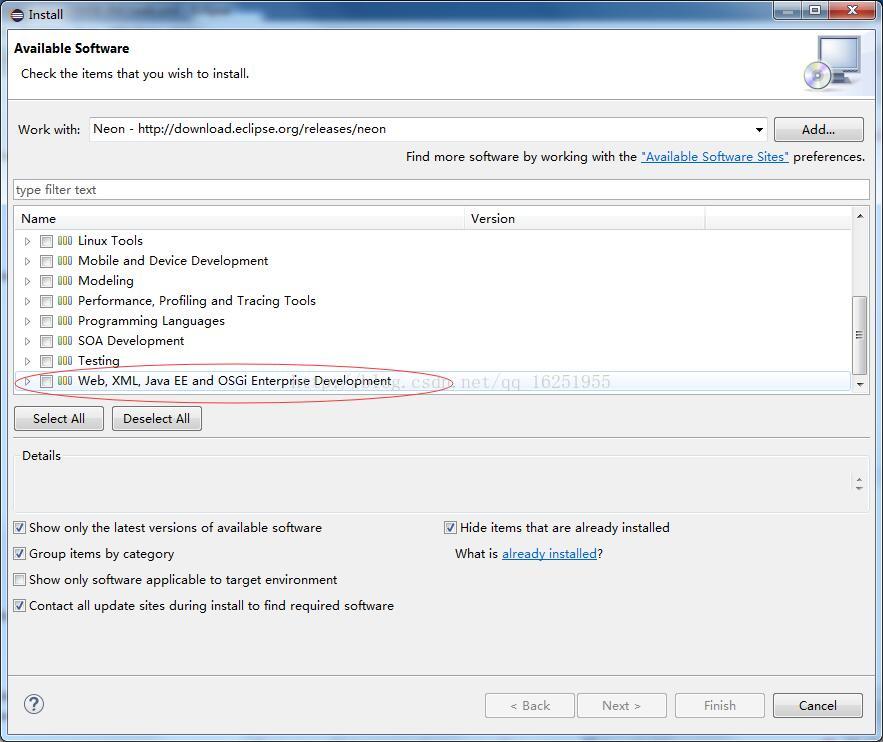
然后就是各种next next 同意 liscence ,等待重启,再回到步骤一的操作,就能看到有web 选项了
您可以选择一种方式赞助本站



 229 106 236 161 179 125 200 197 106 115
 Copyright © 2012-202X
苏ICP备12014991号-8
联系邮箱:18951535724
